
You usually do not lose ideas because they were weak. You lose them because they arrived at the wrong time.
A sentence shows up while you are walking. A task appears mid-reply. A better project title hits you while your laptop is closed. For a few seconds, it feels obvious. Then a notification lands, and the idea becomes that annoying feeling of I had something good a minute ago.
That is the small daily problem quick capture note-taking solves: you do not need to hold everything in working memory just because it appeared there first.
What Is Quick Capture Note-Taking?
Quick capture note-taking is the habit of saving thoughts immediately, before judging, organizing, rewriting, or turning them into tasks. The goal is not to create beautiful notes. The goal is to prevent useful thoughts from evaporating.
Think of it as a mental inbox. Anything that would sit in your head goes there first:
- A task you need to remember later
- A line for an essay, caption, email, or story
- A shopping item
- A question to research
- A rough idea for a project
- A reminder that feels too small for your calendar
The important part is speed. If you need to pick a template, sign in, choose a workspace, wait for sync, or decide which database the note belongs in, you are no longer capturing. You are administrating.

Why Your Brain Keeps Dropping Good Ideas
Your mind is excellent at noticing patterns, but terrible at being used as a storage app. Working memory is limited, attention is interruptible, and context changes faster than we expect.
This is why you can walk into another room and forget why you came there. It is also why an idea can feel permanent at 2:14 PM and completely inaccessible at 2:17 PM. The thought was never stored properly. It was just active for a moment.
Research on cognitive offloading describes how people use external tools, including paper notes and smartphone notes, to reduce cognitive demand. A study in Memory & Cognition shows why this feels natural: we save what we do not trust our future self to remember.
There is also a focus benefit. Masicampo and Baumeister’s work on unfinished goals, indexed by PubMed, found that concrete planning can reduce mental interference. An uncaptured task keeps tugging at attention. A captured task becomes something you can return to.
“The thought you refuse to write down does not stay free. It charges rent in attention.”
The Quick Capture Framework: Capture, Clarify, Sort, Use
The mistake most people make is trying to organize notes while creating them. That sounds responsible, but it adds friction at the worst possible moment.

1. Capture Without Editing
Write the raw version first. Misspellings are fine. Broken phrases are fine. Your only job is to preserve the signal.
- Use short fragments when you are moving.
- Start with verbs for tasks: call, send, review, buy.
- Use quotation marks for exact phrases you might want later.
- Do not decide whether the idea is good yet.
2. Clarify Later
Clarifying means asking, What did I mean by this? A note like “portfolio page pricing thing” may be enough in the moment, but it needs translation later.
A useful clarified note answers one question: is this an action, reference, writing idea, or something to delete?
3. Sort Lightly
Sorting should be boring. If your note system requires twenty folders, twelve tags, and a perfect naming convention, you will eventually avoid it.
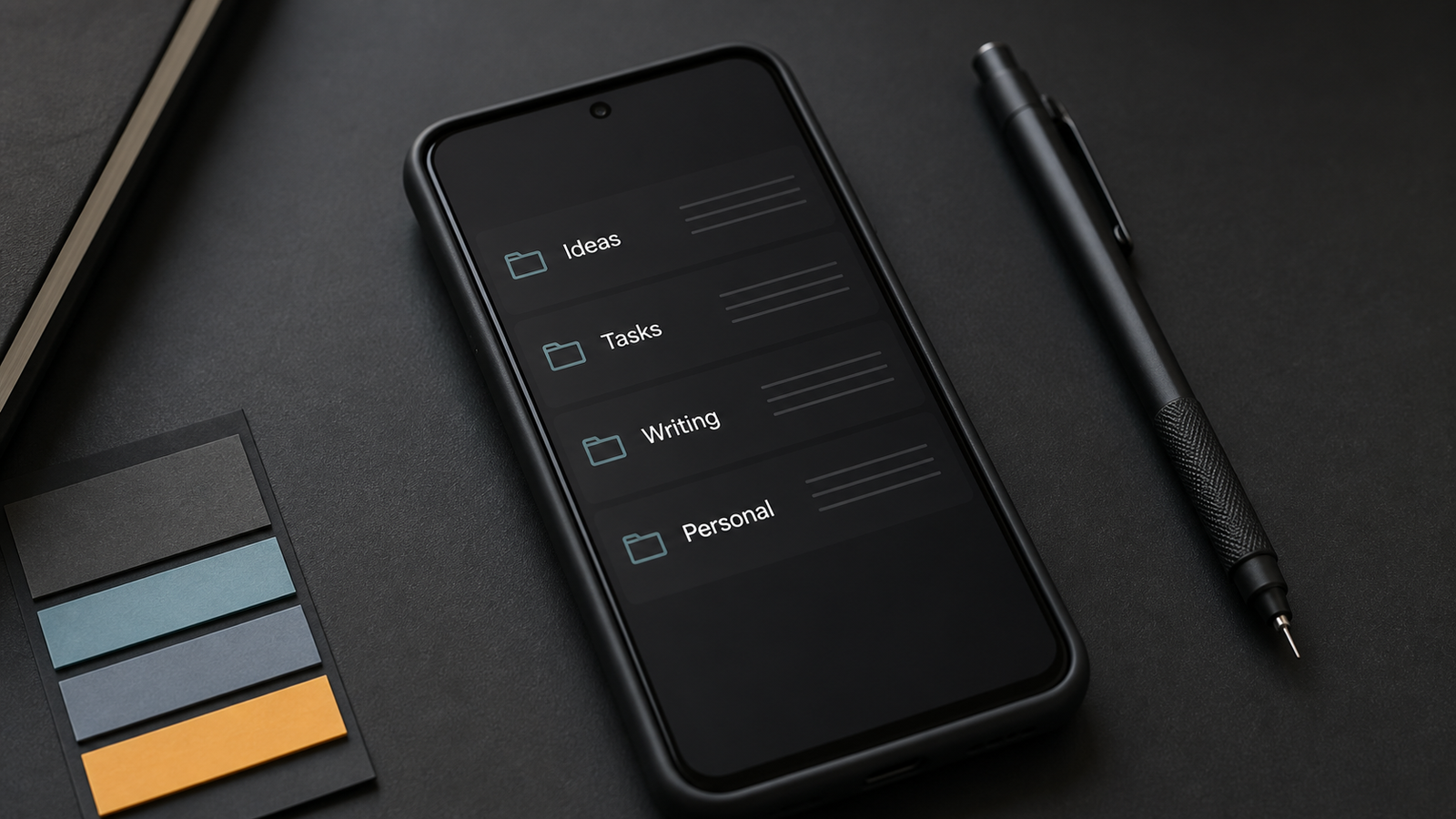
For most Android users, four or five buckets are enough:
| Bucket | Use it for |
|---|---|
| Ideas | Rough thoughts, concepts, article angles, project seeds |
| Tasks | Things that need action but not full project planning |
| Writing | Draft lines, titles, hooks, paragraphs, quotes |
| Personal | Private reminders, reflections, lists, life admin |
4. Use the Note or Delete It
A captured note has to move eventually. It can become a task, a paragraph, a calendar event, a saved reference, or nothing. Deleting weak notes is part of the system. It teaches you that capture is low pressure.
Why Simple Android Notes Often Work Better
There is a reason plain text notes have survived every productivity trend. They are fast. They do not ask for much. They keep the distance between thought and storage very short.
Complex tools are useful for teams and knowledge bases. Quick capture is different. It happens in liminal moments: in a cab, between lectures, after a meeting, while cooking, just before sleep.
This is where simple notepad apps for Android make sense. Notepad Classic takes the familiar plain-text experience people already understand and keeps it focused on quick writing instead of turning every note into a mini project.
The Capture Rules That Actually Stick
If a system relies on motivation, it will fade. Quick capture works when the rules are simple enough to follow while tired.
- Open first, organize second. The capture screen should be faster than your doubt.
- Use rough language. Polish later. Preserve the signal first.
- Keep one inbox. Multiple capture spots create another memory problem.
- Review at a fixed time. Random review becomes no review.
- Delete aggressively. Weak notes should not become permanent clutter.
How Students, Writers, and Professionals Can Use It
For Students
Use quick capture for lecture questions, assignment reminders, vocabulary, formulas to revisit, and sudden exam doubts. Research in Psychological Science has discussed how deeper note processing can support learning better than shallow transcription. For students, the lesson is simple: capture quickly, then rewrite important points in your own words later.
For Writers and Creators
Capture titles, hooks, analogies, snippets of dialogue, and observations. Good writing ideas rarely arrive fully dressed. They usually arrive as a phrase with potential. A quick note gives that phrase a second chance.
For Office Professionals
Use quick capture after calls, during context switches, and between meetings. Save follow-ups before they become background anxiety. Later, convert the real actions into your task manager and archive the rest.
A simpler way to catch small thoughts
If you prefer notes that open fast and stay out of the way, apps like Notepad Classic for Android fit the quick capture habit naturally: plain writing, familiar folders, and fewer decisions before the note is saved.
What to Avoid
Quick capture fails when it becomes performative. Do not over-tag, mix capture with planning, keep every fragment forever, or chase the perfect app. The goal is to protect attention and make useful ideas retrievable.
Google’s guidance on helpful content emphasizes usefulness, clarity, and satisfying the reader’s purpose. Personal systems should do the same.
A One-Day Quick Capture Challenge
Try this for one day. Every time your brain says, remember this later, write it down immediately. Do not organize it. Do not judge it. Just capture it.
At the end of the day, review the list for five minutes:
- Turn actions into tasks.
- Move writing ideas into a writing folder.
- Keep references you will actually use.
- Delete the rest.
Your head may feel less crowded because fewer thoughts are trying to survive without a place to land.
FAQ
What is the quick capture note-taking method?
Quick capture is the habit of saving thoughts immediately before organizing them. You use one fast inbox for ideas, tasks, reminders, and fragments, then review and sort them later.
What is the best Android app for quick notes?
The best app is one that opens quickly, works reliably, and does not force too many choices before writing. A simple plain text note app is often better for quick capture than a complex workspace tool.
Should quick capture notes be organized with folders or tags?
Use whichever you will actually review. For most people, a few folders like Ideas, Tasks, Writing, and Personal are easier to maintain than a large tag system.
How often should I review captured notes?
A short daily review works best. Five minutes at the end of the day is usually enough to clarify, sort, act on, or delete most captured notes.
Is quick capture useful for students?
Yes. Students can use quick capture for questions, assignment reminders, revision points, vocabulary, and ideas. The key is to rewrite important notes later in your own words instead of leaving them as raw fragments.