You buy a bottle, bring it home, and put it somewhere sensible. Six months later you are standing in front of a wine rack in the hall closet trying to remember whether the Rioja on the bottom row is the good one you were saving or the Tuesday one you meant to drink in July. That is the actual problem with a small collection. Not valuation, not provenance, not insurance schedules. Just knowing what you have, where it is, and whether now is a reasonable time to open it.
The good news is that a few dozen bottles do not need a system built for a commercial cellar. They need about eight fields, filled in honestly, kept somewhere you will actually open.
The fields that do real work
Start with the identifying information, but keep it short. Producer, name or cuvée, vintage, and grape or region. That is enough to find the bottle again and enough to look it up later if you want more detail. Resist the urge to transcribe the whole back label.
Then add the fields that most people skip, which are the ones that make the log worth keeping:
- Quantity. How many of this exact wine and vintage you have. This is the number that changes most often, and the one that tells you whether you can open a bottle tonight or should hold the last one.
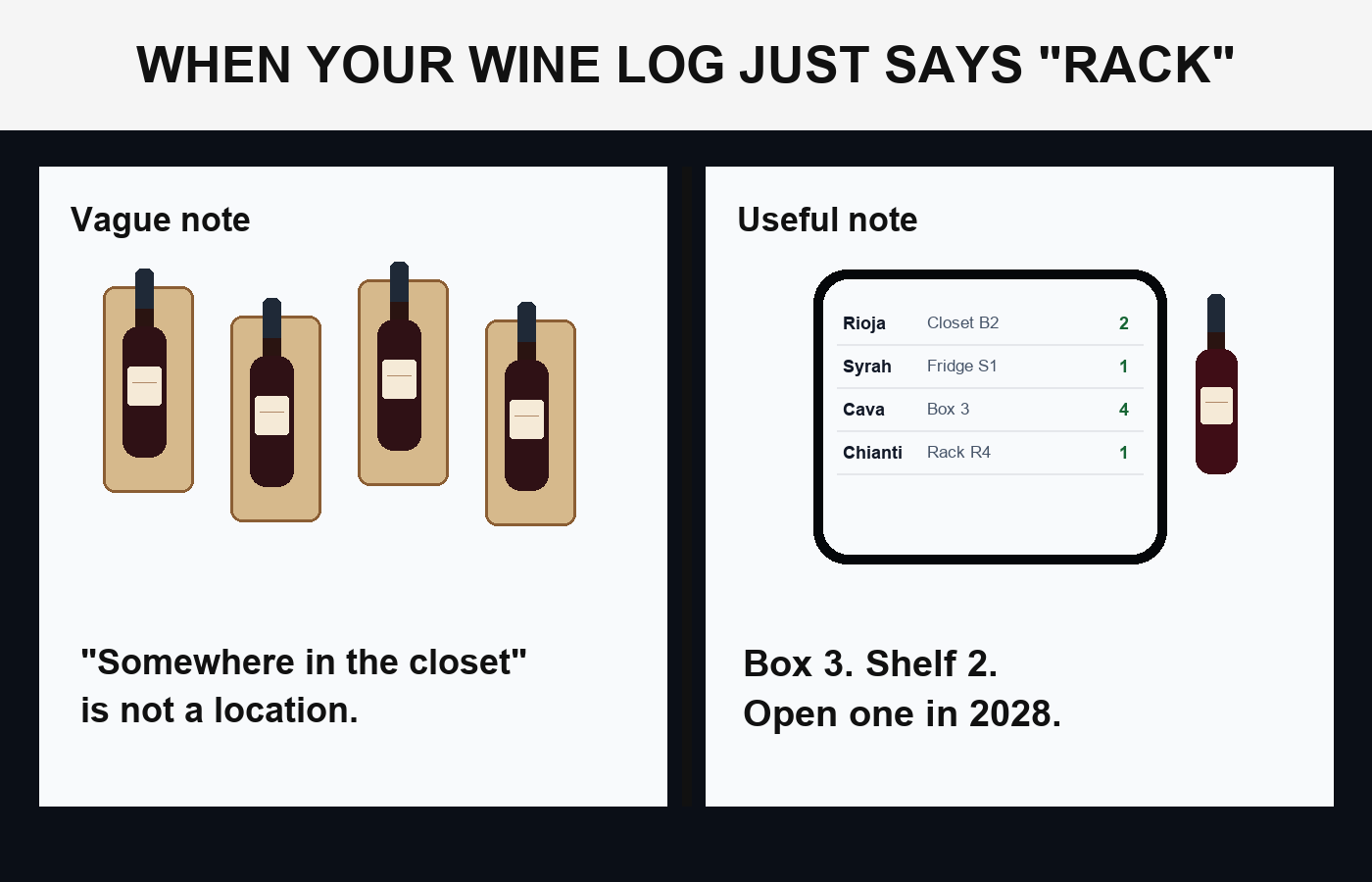
- Location. Specific enough to walk to it. More on this below.
- Where and when you got it. A shop name and a rough date. Useful for finding it again, useful for remembering what you paid, useful for remembering who recommended it.
- What you paid. Not for valuation. For calibration: after a year of notes you learn what your own money buys, which is more useful than any score.
- When to drink it. A window, not a date.
- Occasion or intent. One word. “Weeknight,” “gift,” “anniversary,” “hold.” This is the field that stops you from opening the bottle you were saving.
- Notes after drinking. The whole point, and the part almost everyone drops.
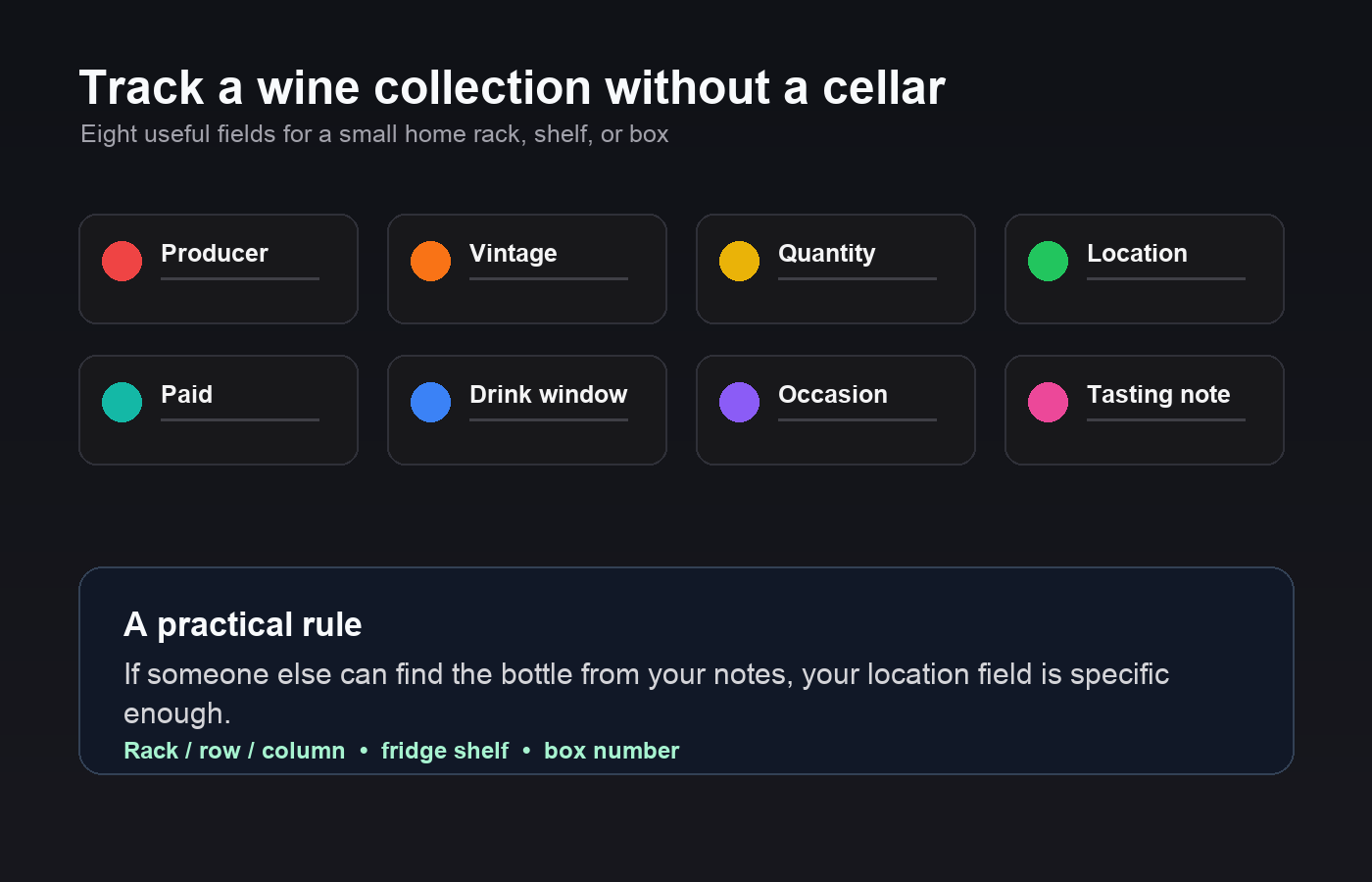
Location: be embarrassingly specific
People write “cellar” or “rack” and then spend ten minutes pulling bottles out to read labels. If you have any kind of storage with structure to it, name the structure. Rack, row, column. Or fridge, shelf two. Or the wine fridge in the kitchen versus the boxes under the stairs, which are different places with different temperatures and different odds of you remembering they exist.
If your bottles are in cardboard boxes, number the boxes with a marker and record the box number. It looks unserious and it works better than a diagram. The test is simple: could someone else in the house find the bottle from what you wrote? If not, add a word.
Location is also where the storage question quietly lives. The widely cited general guidance is to keep bottles somewhere cool, dark, stable in temperature, and lying down if they have a cork. You do not need to record conditions bottle by bottle, but it is worth noting which of your locations is the good one and which is the compromise. If a bottle is in the compromise spot, that is a reason to move it up your drinking order.
Drinking windows without pretending to know things
This is where log-keeping gets intimidating, and it should not. You are not trying to produce an authoritative maturity forecast. You are trying to leave yourself a note.
“An honest blank is more useful than a confident number you cannot trace.”
Record a window as a range of years, and record where the range came from. “Shop said 3 to 5 years” is a completely legitimate entry. So is “producer’s site suggests drinking now to 2030,” or “no idea, check in two years,” or “drink soon, it was open-and-go when I bought it.” The source matters because in three years you will want to know whether that window was a considered estimate or something you guessed on a Sunday.
Two habits make the windows genuinely useful:
- Add a “check by” date, not just an end date. If you have three bottles of something with a five-year window, plan to open one early to see where it is. Note what you find. The other two now have a window based on your bottles in your storage, which beats any general estimate.
- Flag the ones with no window at all. Most everyday wine is made to drink now, and marking it “drink now” is real information. It stops you from accidentally aging a bottle into disappointment because it was sitting next to the serious ones.
Whatever you do, do not copy aging estimates from memory into your log as fact. Write the source or write “unknown.” An honest blank is more useful than a confident number you cannot trace.
Tasting notes you will actually write
The reason people abandon wine logs is the tasting note. They imagine they owe the bottle a paragraph, cannot produce one, and write nothing. Then the bottle is gone and so is everything they learned from it.
Lower the bar until you clear it every time. Three things, thirty seconds, while you are still drinking:
- Would you buy it again? Yes, no, or yes-but-cheaper. This single field is more useful a year later than any amount of descriptive vocabulary.
- Timing. Too young, about right, or past it. Feeds straight back into the windows on your remaining bottles.
- One concrete detail. Whatever you actually noticed. “Tannic, needed food.” “Better on day two.” “Too sweet for me.” “Great with the roast chicken.” Plain language is fine. Nobody is grading this.
Add the date you drank it and, if you like, who you drank it with. That last one turns a database into something you will reread. If you want more, write more, but the three-line version is the one that survives contact with a Tuesday evening.
When a bottle is finished, do not delete the row. Drop the quantity to zero and keep the record. Your history of what you drank and what you thought is the part that makes the next purchase smarter.
| The three-line tasting note | What to write |
|---|---|
| Would you buy it again? | Yes, no, or yes-but-cheaper — the most useful field a year later |
| Timing | Too young, about right, or past it — feeds back into your remaining bottles |
| One concrete detail | Whatever you actually noticed: ‘tannic, needed food’, ‘better on day two’ |
Choosing where to keep it
A notebook works. A spreadsheet works, and syncs, and sorts. Dedicated wine apps work and often bring label scanning, community ratings, and price data along with them, which is genuinely convenient if you want those things and clutter if you do not. The honest answer is that the tool matters much less than whether you open it at the moment you pull a cork, which is when the useful information exists and before it evaporates.
Two things to check before committing. First, can you get your data out? A collection you have logged for five years should not be trapped. Second, can you change the fields? Most tracking apps decide in advance what a wine record contains, and if you want a “gift for whom” field or a “box number” field, you are out of luck.
A simpler way to log a small cellar
If a fully editable structure is what you want, Pocket Tables is an iPhone app for building small personal databases, and its wine cellar template gives you a starting set of fields you can add to or delete outright. Everything stays on the phone with no account to create. Be clear about the trade: there is no barcode or label scanning, so every bottle is typed in by hand, and there is no automatic valuation or market pricing, no sharing with anyone else, and no Android version. For a few dozen bottles that is a few minutes of typing; for a large or fast-moving cellar it would be tedious.
Getting started without a lost weekend
Do not try to log everything at once. Log the next bottle you buy, and log the next bottle you open. Then spend twenty minutes on a Saturday entering whatever is on the top shelf. The rest can wait, because the value of the log comes from the flow of new entries, not from completeness on day one.
Learning how to track a wine collection is mostly learning to write down the two facts you always wish you had later: where the bottle is right now, and what happened when you drank the last one. Everything else is optional.
Common questions
What should I record about each bottle?
Producer, name, vintage and region to identify it; then quantity, location, what you paid, a drinking window and what you thought after opening one. The last two are the fields most people skip and the ones that make the log worth keeping.
How specific does the location need to be?
Specific enough that someone else in the house could walk to it. Rack, row and column, or fridge and shelf, or a numbered box. ‘Cellar’ means ten minutes of pulling bottles out to read labels.
How do I record a drinking window if I do not know one?
Write the window as a range of years and record where it came from — ‘shop said three to five years’ is a legitimate entry, and so is ‘no idea, check in two years’. Never copy an aging estimate from memory as though it were fact.
Do I need a wine app, or will a spreadsheet do?
Either works. What matters far more is whether you open it at the moment you pull a cork, which is when the useful information exists. Before committing, check two things: can you get your data out, and can you change the fields?
Should I delete a bottle once I have drunk it?
No. Drop the quantity to zero and keep the record. Your history of what you drank and what you thought of it is what makes the next purchase smarter.