
The person at the counter doesn’t want your itinerary. They want a booking reference, and they want it before the line behind you gets any longer. You open your email, search for the airline’s name, get four marketing newsletters and a receipt from last year, and start scrolling.
That’s the failure mode worth designing against. Trip plans don’t usually collapse because something was forgotten at home — they collapse because the one piece of information you need is buried in a thread, locked behind a login, or sitting in an app that needs signal you don’t have. The question of what to keep in a trip plan is really a question about retrieval: what do you need to produce, on demand, in under ten seconds, with one hand, possibly offline?
The five moments that test your plan
Almost everything you’ll ever need to retrieve on a trip gets demanded in one of five situations. Build for these and the rest takes care of itself.
- A check-in or bag-drop desk. Someone needs a reference number and a name spelled the way it was booked.
- A border or security line. Someone needs a document, an address you’re staying at, and sometimes a return date.
- A hotel or rental counter at an awkward hour. Someone needs a confirmation number and the name the room was booked under, which isn’t always yours.
- A station, dock or gate with a time on it. You need the time something closes, not the time it departs.
- Something going wrong. A cancellation, a missed connection, a car that isn’t there. You need a phone number and a reference, fast.
Notice what none of those moments require: a packing list, a restaurant shortlist, or a day-by-day narrative. Those are nice. They are not what gets tested.
Confirmation codes, in the form someone will ask for them
Every booking generates at least one identifier, and the vocabulary is inconsistent enough to cause real confusion at a counter. Keep the code itself, and keep a note of which kind it is.
For flights, the short code — often six characters, mixing letters and digits — identifies the reservation. The longer number printed on your ticket receipt identifies the issued ticket, and it’s the one that tends to matter when a booking has to be rebooked or refunded. If you booked through an agency or a third-party site, you may also have their own reference, which is useless to the airline and essential to the agency. Keep all three where you can see them side by side, labeled.
Hotels, rentals, trains and tours each do their own version of this. The practical rule: paste the code as a string you can read aloud, including the dashes, and write next to it who issued it. “Confirmation H4-99KQ2 — booked via the hotel’s own site” is a usable line. A screenshot of a web page that happened to contain the code is not.
The documents that need a number, not just a photo
Photographing your passport is useful, but a photo is slow to read from and hard to dictate. What you actually get asked for is data: the document number, the name exactly as printed, the date of issue, the expiry date, and sometimes the issuing authority. Having those as text means you can fill a form, read a number to someone on the phone, or complete an online check-in without digging the physical document out of a bag.
The same applies to anything document-shaped that supports the trip: a visa or travel authorization reference, a driver’s license number if you’re renting a car, an insurance policy number and the claims line attached to it, a vaccination or health record reference where one is required, and the membership numbers for any loyalty or trusted-traveler program you’d want credited.
Two things to check before you go rather than at a desk: whether your destination has a requirement about how long your passport must remain valid beyond your travel dates, and whether the name on every booking matches the name on your document. Mismatched middle names and hyphens cause a surprising amount of counter-side trouble, and they’re trivially fixable weeks out.
“A trip plan isn’t a record of what you booked. It’s an answer to whatever you get asked next.”
The timings that aren’t printed on your ticket
Departure time is the least useful time in your plan, because it’s the one you’ll never forget. The times that go missing are the deadlines around it.
Write down when online check-in opens and closes for each flight, when the bag drop cuts off, and when boarding is scheduled to end — these vary by airline and airport, so take them from your own confirmation rather than assuming. Add the hotel’s check-in and check-out hours, plus whether you’ve told them you’re arriving late. For rentals, note the pickup window and the return deadline, which are often tighter than people expect. For trains, ferries and tours, note the reporting time, which can be meaningfully earlier than the departure.
Then add the one timing nobody writes down: the last safe moment to leave for each of these. Not the travel duration — the actual clock time you need to be moving. That single number prevents more scrambling than any other line in a plan.
What to keep, where it belongs, and when you’ll need it
| What to keep | Where it belongs | When you’ll need it |
|---|---|---|
| Booking reference and ticket number | Offline text you can read aloud | Check-in, rebooking, any phone call |
| Passport or ID number and expiry | Typed as text, not only a photo | Online check-in, entry forms, border lines |
| Boarding pass and tickets | Wallet app or printout — plus a backup | Security, gate, onboard |
| Address of your first night’s stay | Offline, in the local language if relevant | Arrival forms, taxi, border questions |
| Cut-off times and last-safe-departure times | Your plan, next to each booking | The morning of each travel day |
| Support numbers and policy references | Phone contacts plus offline note | Delays, cancellations, lost bags, claims |
The middle column is doing the real work. A detail you keep in a place that needs a password, a connection, or a search is a detail you’ve half-kept.
If you’d rather keep it in fields than in prose
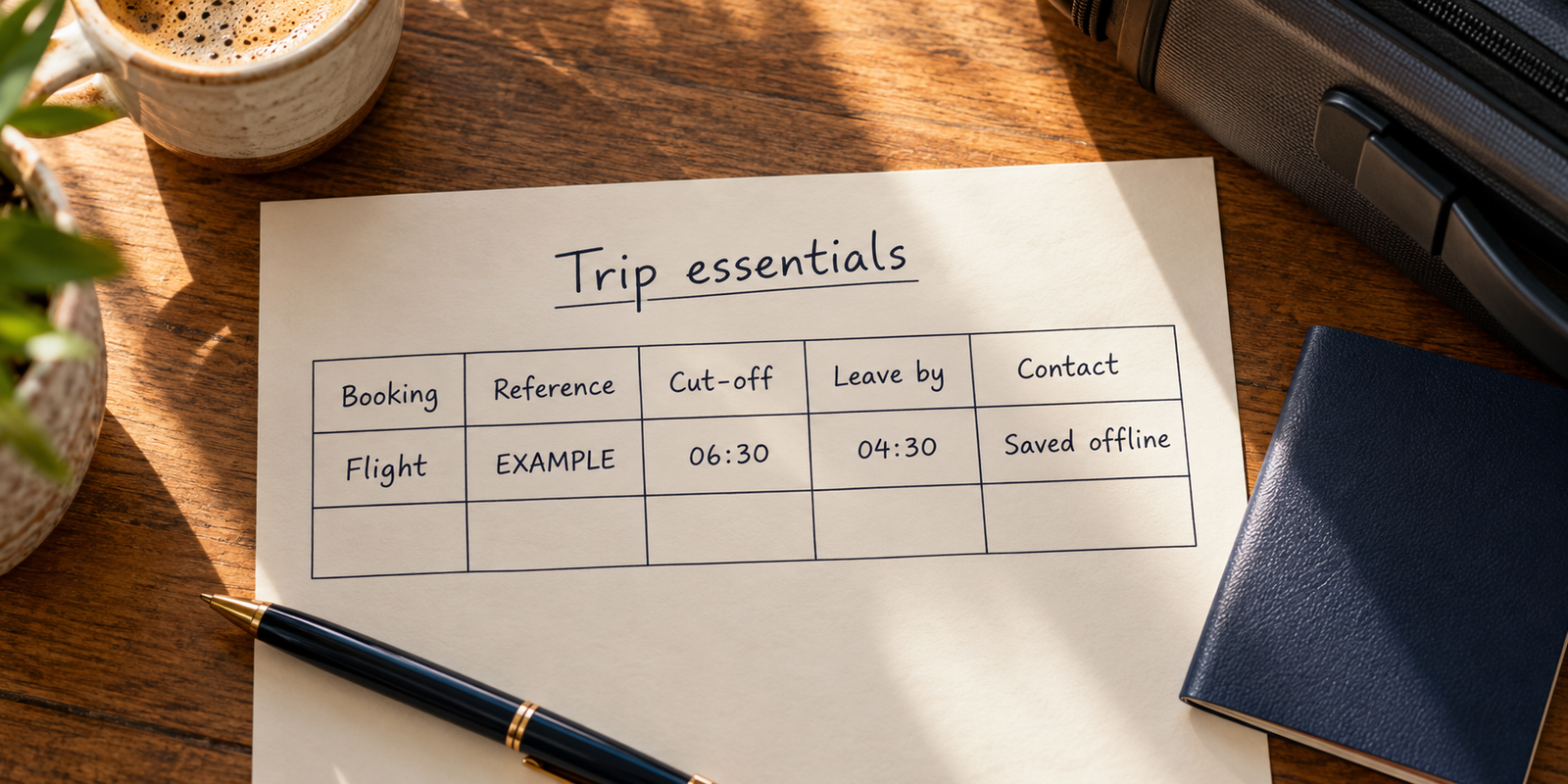
One way to hold this is a small table per trip — one row per booking, columns for the code, the cut-off, the contact — which is what the travel template in Pocket Tables sets up for you to edit: an iPhone app where your data stays on the phone, with no account to create and fields you add or delete per table. Worth knowing the limits before you rely on it: there’s no sync, no cloud backup and no way to share a table with the person you’re traveling with, so for a trip you’re coordinating with someone else you’ll still need a shared doc somewhere — and there’s no Android version at all.
The numbers you want before you need them
When a plan breaks, the thing you’re short of is a phone number. Keep the direct support line for each airline, hotel and rental company you’ve booked — taken from your confirmation, not from a search you’ll have to run on airport Wi-Fi. Add your card issuer’s lost-card line, your insurer’s claims line, and the number for anyone meeting you at the other end.
It’s also worth noting, in one line per booking, what you paid and on which card. Not for budgeting — for the conversation where someone asks you to confirm the last four digits before they’ll discuss a reservation.
Keeping it so it’s actually there
Whatever you use, the plan has to survive three conditions: no signal, a dead phone, and a phone that isn’t with you. That argues for redundancy rather than cleverness.
Keep the core details somewhere on the device that doesn’t need a network to open. Keep a second copy in a form that survives the device — a printed page folded into your passport covers the first-day essentials and costs nothing. And tell one person at home where the copy is, with enough detail that they could read your booking reference to an airline on your behalf.
Then prune. A plan that’s grown to twelve screens of saved links and maybe-restaurants is a plan you’ll stop opening. Keep the retrieval layer tight and let the inspiration live somewhere else.
Common questions
What’s the difference between a booking reference and a ticket number?
The booking reference is the short code that identifies your reservation, and it’s usually what’s asked for at a desk or for online check-in. The ticket number is the longer number on the ticket receipt, which tends to come up when a booking has to be reissued or refunded. Keep both, labeled, because they aren’t interchangeable.
Should I print my travel documents or keep them on my phone?
Keep them on your phone for speed and print the first day’s essentials as a fallback. A printed page costs nothing and is the only copy that works when a battery dies or a phone goes missing. Check whether anything you’ve booked specifically asks for a paper copy.
How do I make sure my trip details work without internet?
Anything stored only inside an email thread, a web page or an account you have to log into can fail you offline. Copy the essentials into a note or app that opens locally on the device, and test it in airplane mode before you leave. If it doesn’t open in airplane mode, it isn’t offline.
Do I still need the hotel confirmation if the booking is in my name?
Keep it anyway — it’s the fastest way to resolve a room that can’t be found, a rate that’s been entered differently, or a late arrival that wasn’t noted. Also record the name the booking was made under, which isn’t always the name of the person checking in.
What should I write down for a travel day specifically?
The cut-off times rather than the departure time, the last clock time you need to leave, the terminal and the address you’re heading to, and the support number for whoever you’re traveling with. That’s four lines, and it removes nearly all of the morning’s decision-making.