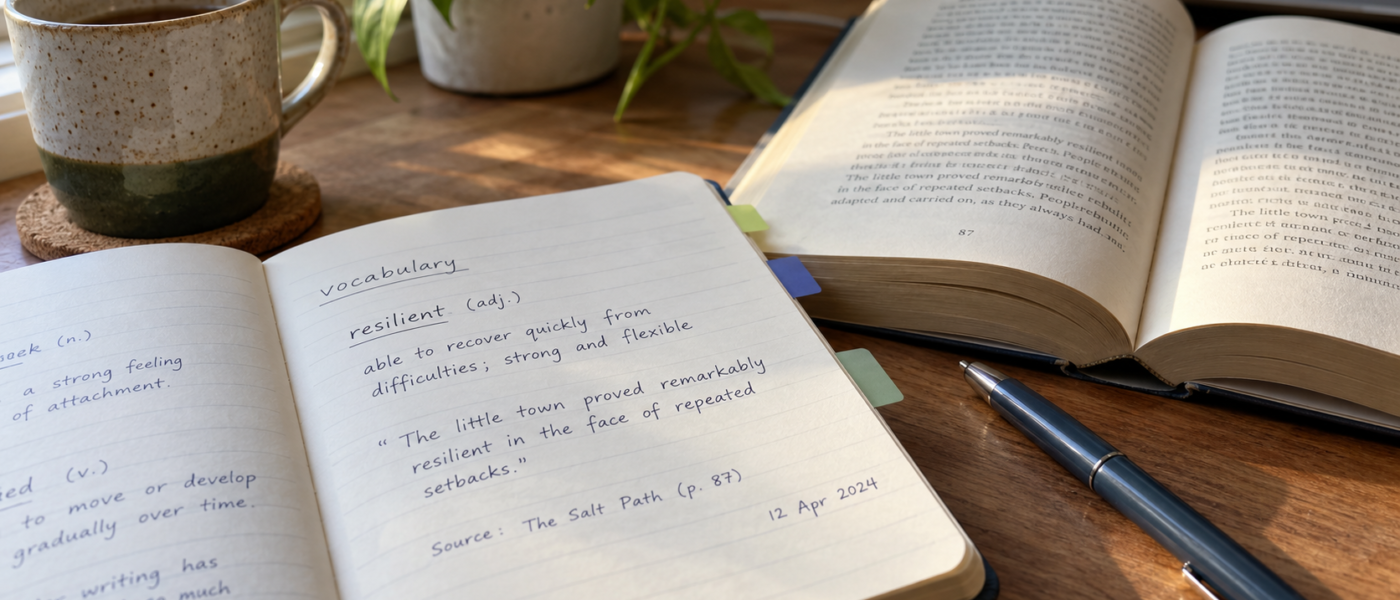
The standard vocabulary notebook has two columns. The foreign word on the left, the English on the right. It is the first thing almost everyone builds and the first thing almost everyone abandons, and the reason is sitting in the structure: the right-hand column holds the one piece of information you could have looked up again in four seconds, and the left-hand column holds a word with no life in it.
Everything that made the word worth writing down was present when you met it and gone by the time you reread the page. The sentence it was living in. Who said it, and how. What you were reading. The fact that you had already seen it twice that week and were finally annoyed enough to write it down. A dictionary can replace the right-hand column at any time. Nothing replaces the rest.
What the two-column notebook can’t tell you
Open an old notebook built this way and the failure is easy to see. Forty entries, maybe fifteen you still recognize, and of those fifteen no idea which ones you could actually use in a sentence or where any of them came from.
Three things get lost, and each one costs you something later.
The form you met. You met the word inflected, conjugated, stuck to a preposition, or buried in a fixed phrase that only makes sense whole. The dictionary headword is a different shape. Record only the headword and you have guaranteed that you won’t recognize the thing in the wild, which is the only place it matters.
Which meaning you met. Most words worth writing down have more than one sense, and the gloss you copied is whichever one appeared first in the entry. Without the sentence, you can’t tell weeks later whether you learned the sense you encountered or one that happened to be printed above it.
Who it belongs to. A word from a friend talking fast over dinner and a word from a formal article are not the same acquisition, even spelled identically. The source field is the only thing that tells you whether a word is safe to use in a message to a colleague. Lose it and you have a list of words you half-trust.
The fields that earn their place
A row worth keeping is short. Five fields, one of them optional, and only one of them is the definition.
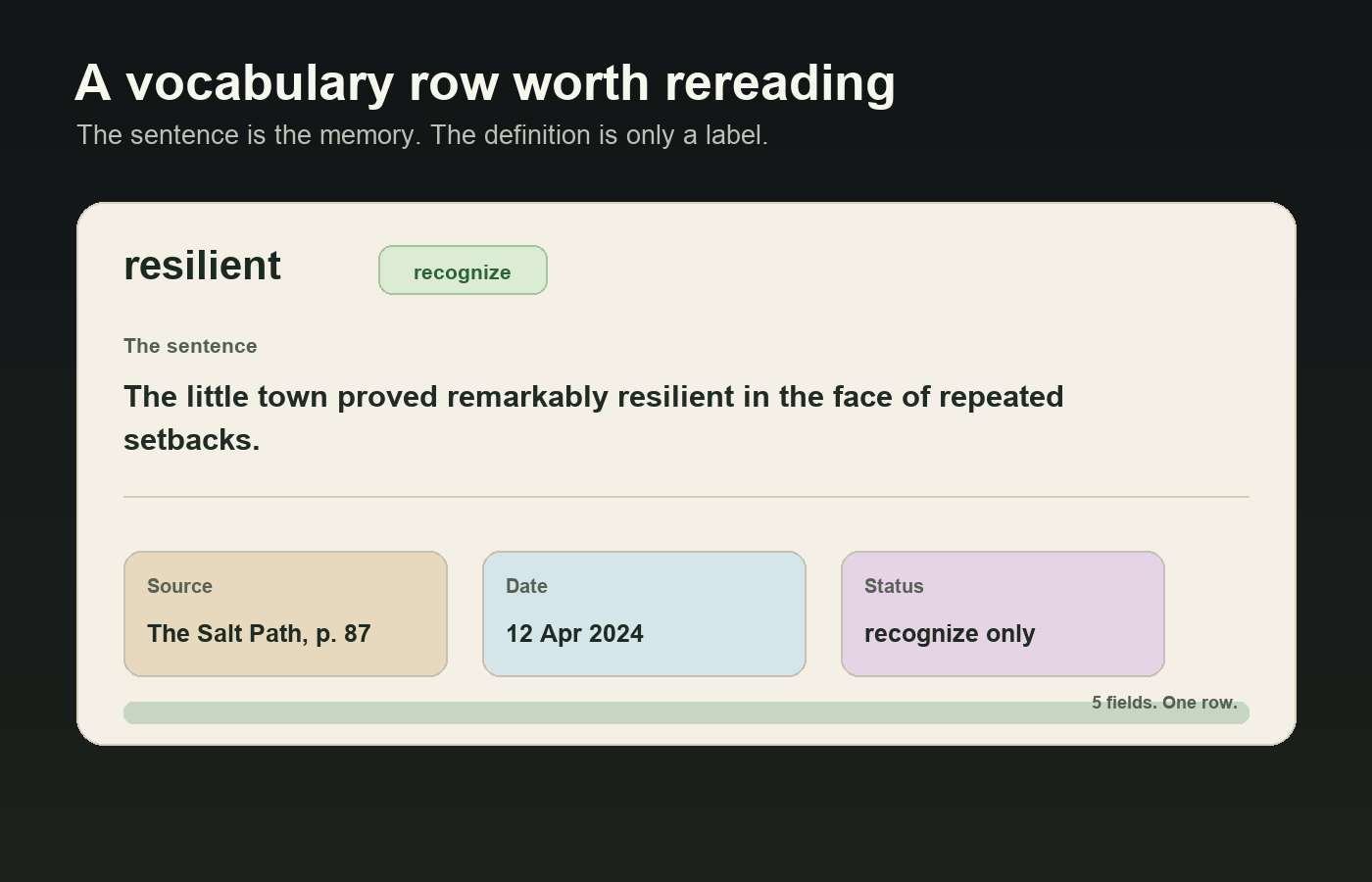
The word, as you met it. If you met a phrase, record the phrase. If you met a form you didn’t recognize, record that form with the base form beside it. Your notebook is not a dictionary and doesn’t need to be normalized.
The sentence it appeared in, copied exactly. This is the field that does the work, and it’s the one people cut when they’re in a hurry. Copy it, don’t paraphrase it, and don’t trim it down to the bit with the word in it. The surrounding words are what tell you what the word does.
The source. The podcast, the novel, the message, the person — specific enough that you could go back. Not “a podcast” but the episode. You will go back more often than you expect, usually because the entry stopped making sense.
The date. One of the cheapest fields in any list and one of the most revealing. Dates show you what you met during one intense week with one particular book, and which entries have sat untouched since spring.
Status, honestly recorded. Two or three values: you recognize it on sight, or you can actually produce it when you need it. Those are different states, and conflating them is how a notebook becomes a list of words you feel vaguely guilty about. Be strict — “I’d have understood it in context” is recognition, not production.
| Field | What it gives you that a dictionary can’t |
|---|---|
| The word as you met it | The shape you’ll actually see next time, not the tidied-up headword |
| The sentence | Which sense you met, what it attaches to, and how a real person built a line around it |
| Source | Register — whether this is dinner-table language or something you’d put in writing |
| Date | Which entries are stale, and which source gave you a burst of useful words |
| Status | A filtered list of the words you can only recognize — the shortlist worth working on |
| Note (optional) | Why it was hard: looked like another word, sounded like nothing you expected |
Notice what isn’t here: part of speech, gender, pronunciation guides, example sentences you invented yourself, a translation of the whole line. All available on demand, and none of them the reason the entry exists.
Capture in two seconds, clean up later
Here is the problem that kills more notebooks than bad fields. You meet words while reading and listening, and both are flow states that stopping destroys. A notebook demanding five careful fields at the moment of encounter makes you choose between reading and recording. You’ll choose reading, correctly, and the notebook dies.
So split the job in two. Capture is a reflex and has to cost about two seconds. Cleanup is a separate sitting, at a desk, in a batch.
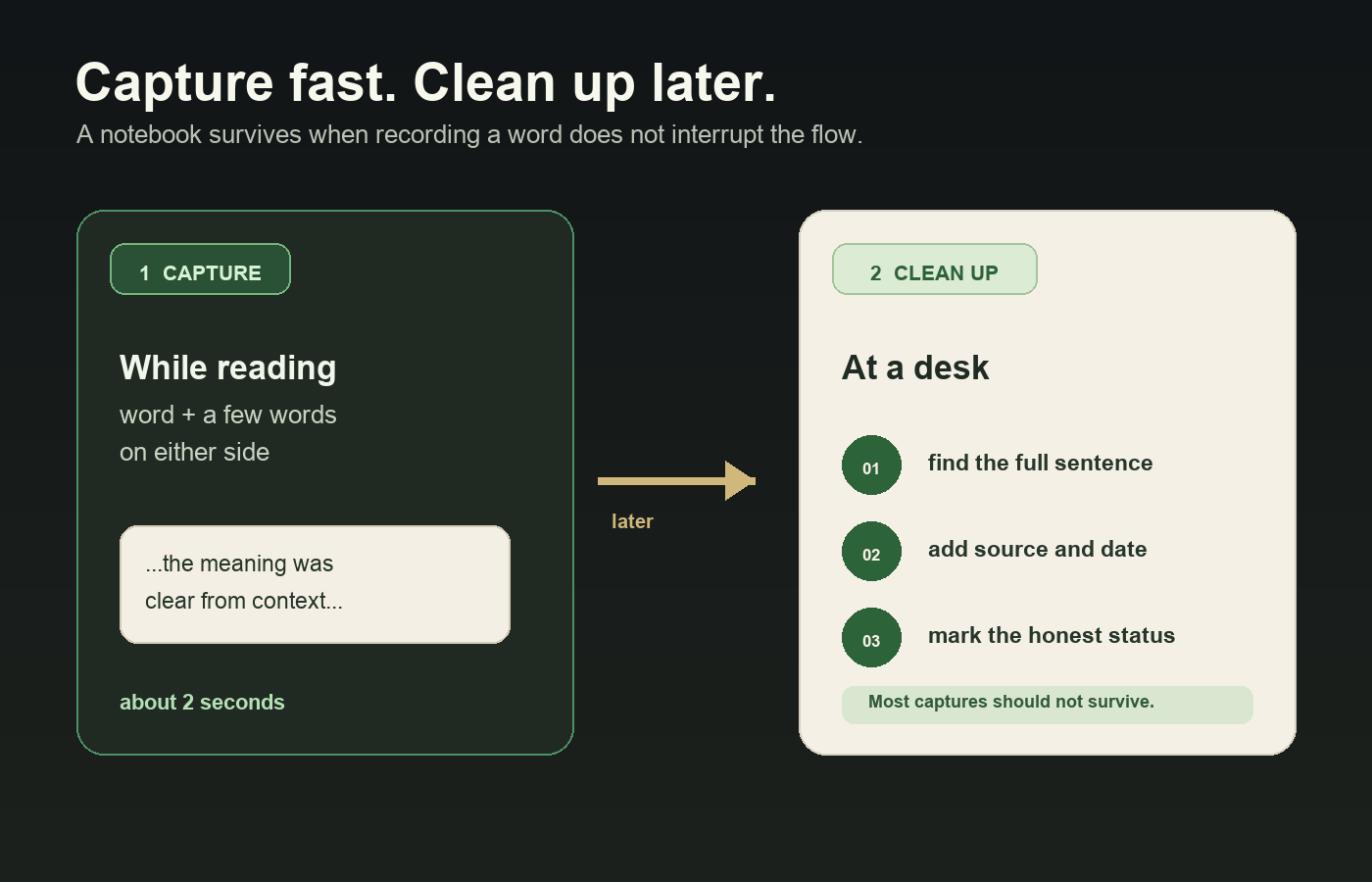
Capture, while reading. A bracket in the margin. A highlight. One line in whatever note app opens fastest, holding the word and three or four words either side — just enough to find the sentence again. A photograph of the page is a perfectly legitimate capture and is faster than typing.
Capture, while listening. You don’t need to have heard it correctly. Note the timestamp. That is the whole capture. Resolving it against a transcript or the subtitle track is a cleanup task, and trying to spell an unfamiliar word while the audio keeps running is the fastest way to a notebook full of entries you can’t decode.
Cleanup, later. Sit down with the captures, pull the real sentence, look up what you need to look up, write the rows. Most captures won’t survive this step, and that’s the point: the capture list is an inbox, not the notebook.
Not every unknown word deserves a row
The other thing that kills notebooks is volume. Write down every word you don’t know and you are hand-copying a dictionary in a slow, disorganized order, and the notebook becomes something you scroll past rather than something you use.
The filter worth applying is simple: a word earns a row the second time you meet it. First encounter, capture it to the inbox and move on. If it turns up again — same book, different book, something someone said — it has shown that it lives in the material you actually consume, and it graduates.
That does two things at once. It cuts the volume down hard, and it biases the notebook toward words that are common in your world rather than words that were merely present once. It also hands you a second sentence for free, which is usually the point where a word stops being a definition.
Two reasonable exceptions. A word that blocked an entire passage goes straight in on first contact — if you couldn’t follow the paragraph without it, it has earned its place. And words from the domain you actually need the language for go in immediately, because waiting for a chance repetition in a field you’re only beginning to read is a long wait.
Leave out, with no guilt: proper nouns, one-off technical terms you could look up again just as easily, words you worked out from context and will probably never see again, and anything you wrote down because the page looked empty.
“A dictionary will always be better than you at telling you what a word means. The one thing your notebook can do that nothing else can is remember where you met it.”
Where the notebook lives
Four options, and the trade is always the same: how fast you can capture, versus how much you can do with the list afterward.
Paper is unbeatable for capture. It opens instantly, never autocorrects a word you’ve spelled unusually, and writing in the margin of the book you’re already holding costs nothing. What you give up is everything structural: you can’t pull every recognize-only entry into one view, you can’t sort by date, and a word from January is effectively gone unless you remember the page.
A notes app is paper with search, which is a real upgrade and still a low ceiling. Search finds a word you half-remember. It can’t answer “show me everything from this source” or “show me the thirty words I recognize but can’t produce,” because there are no fields, only text.
Dedicated review apps are built around scheduled drilling and handle the review mechanics for you. The trade is the field set: you get the columns the designer chose, the sentence is often an afterthought in a secondary box, and source and date may not exist at all.
A spreadsheet or general-purpose database app goes the other way. You define the columns, so filtering to recognize-only entries from one podcast is one tap. Everything is typed by hand, which is the friction — and also the filter, since typing out a full sentence costs enough that junk words don’t make it in.
If you want to own the columns
Pocket Tables is an iPhone app that’s really a flexible personal database — you start from one of the ready-made templates and add or delete fields until the table matches the entry you actually want, sentence field and all. There’s no account and the data stays on the phone. Being straight about the trade: every row is typed in by hand. Pocket Tables won’t look words up, won’t drill you, has no scheduled review, no audio, no sync or sharing, and there’s no Android version. If you want something that handles the reviewing for you, a dedicated review app is the more convenient tool. This is for people who’d rather define the fields themselves.
The review that keeps it honest
A notebook you only add to is an archive. Two short habits keep it a working list.
The first is maintaining the status field, which is the whole review in one move. Go down recent entries and ask one question per row: could I have produced this today, unprompted, or did I only recognize it? Change the value. The useful output is the filtered view of recognize-only entries, and that short list is the only part of the notebook worth real attention. Everything marked as produced can drop out of view.
The second is pruning. Entries that have been solid for months are done; archive or delete them, because they’re only making the list longer. Entries that never resurfaced anywhere, from a source you abandoned, aren’t pending — they’re decided. A notebook you trust is one where every row still has a claim on you.
Resist reviewing the whole thing in order. Sorting by date and starting at the top is how a review becomes a chore, and the oldest entries usually need you least. Filter, work on fifteen rows, close it.
Common questions
Should I write the translation at all?
Write something, but keep it short and treat it as a label rather than the content of the entry. A few words is plenty when the sentence sits next to it. The case for writing it at all is practical: with no gloss you’ll re-look-up the same word repeatedly, which is pure wasted time.
Handwritten or digital?
Use whichever one you’ll actually open at the moment of capture, and accept the consequence. Paper captures faster and does nothing afterward; digital is slower in the moment and lets you filter. A common compromise is capturing in the margin and doing cleanup into a structured list later in the week.
What do I do with words I hear but can’t spell?
Note the timestamp and nothing else, then resolve it at cleanup with the transcript or subtitles. If there’s no transcript, write what you think you heard and mark the entry unverified so you don’t treat a guess as a fact. Unverified entries are fine to keep; unverified entries you’ve forgotten are unverified are not.
How many words should I add in a week?
Fewer than you meet — that’s the only rule that holds. If the notebook grows faster than you ever revisit it, the filter is too loose, and the second-encounter rule tightens it without you having to make judgment calls. The right number is whatever leaves you willing to open the list.
One notebook, or one per language or source?
One list with a language field beats separate notebooks, because separate notebooks mean one of them quietly stops being updated. Splitting by source is worse — the source belongs in a column, not in a filename. The only split worth making is the inbox: keep raw captures somewhere separate from finished rows.