
A count of everything you own is the least useful thing a wardrobe inventory produces. “147 items” tells you nothing you can act on. The useful output is narrower and more irritating: you own four nearly identical navy sweaters, you have not touched the gray blazer since the day you bought it, and you have purchased plain white tees three times in eighteen months because you can never find the ones you already have.
That output doesn’t come from listing clothes. It comes from listing them with the right few fields, and then adding one piece of information most inventories skip — whether you actually wore the thing.
Decide what you want the list to tell you first
This sounds like planning overhead. It isn’t; it’s the difference between a list you open and a list you abandon in week two, because the question you’re asking determines which fields you need.
If the problem is losing track of things — the jacket you’re sure you own but cannot find — the field that matters is location, and you barely need anything else. If the problem is rebuying, you need purchase dates and counts, because the pattern only shows up on a timeline. If the problem is dead stock — clothes that hang there for years — you need some record of wear, and nothing else will substitute for it.
Most people want some mix of the three. Pick the one that actually annoys you and build for that. You can add fields later; you can’t rescue a list you stopped updating.
The fields that pay for themselves
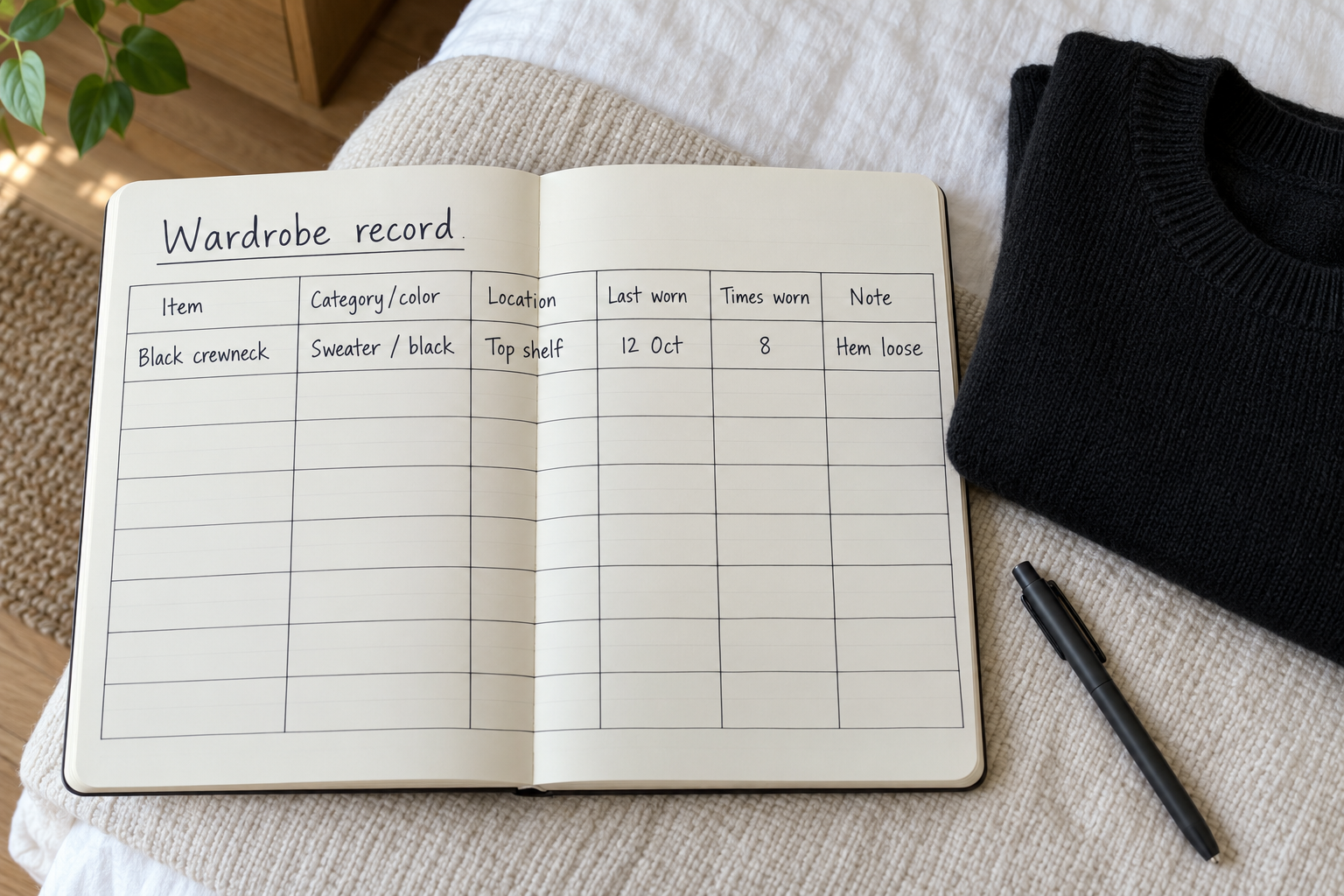
A workable record is shorter than you’d expect: a name you’d recognize at a glance, a category, a color, a location, and a date for when you last wore it. That’s five. Everything beyond that should justify itself.
Fields worth adding when they match your problem: purchase date (rebuying), times worn (whether a purchase earned its place), condition (so the repair pile doesn’t quietly become the donate pile), and a free-text note, which is the single most undervalued field in any clothing list.
Fields that usually waste your time: fabric composition, unless you make care decisions from it. Size, unless yours varies or the closet is shared. Brand, unless you specifically rebuy the same item. Exact purchase price, unless you genuinely intend to calculate cost per wear — and most people don’t, twice.
| Field | What it tells you after six months |
|---|---|
| Category and color | The duplicates you didn’t know about — sort by both and the five black crewnecks line up next to each other |
| Location | Whether a “missing” item is lost, lent out, or in the storage bin under the bed |
| Last worn | A dead-zone list, generated by sorting one column oldest-first |
| Times worn | Which items carry the week, and which ones you bought for a version of your life that didn’t happen |
| Purchase date | Whether you’re replacing things on a real cycle or buying the same category on impulse |
| Note | Why something sits unworn — hem too long, needs pressing, nothing to pair it with |
Do the first pass in one sitting, and do it roughly
The reason most wardrobe lists die is that the first pass is attempted perfectly. Photographing, measuring and tagging 150 garments is a project. Typing 150 short names is an evening.
Go rail by rail and drawer by drawer, in physical order, and write names you would recognize later: “navy wool crewneck,” not “sweater.” Collapse multiples into one row with a quantity — six pairs of black crew socks is one line, not six. Skip anything you’d never look up, which for most people means underwear, workout socks and the pajama drawer. If a category is pure volume with no decisions attached, it doesn’t need rows.
Leave the optional fields blank on the first pass. An inventory with names, categories and locations filled in is already functional. You can fill in purchase dates opportunistically, when you happen to remember or find a receipt.
Logging wear without turning it into a chore
This is the part that separates an inventory from a list, and it has to be nearly free or it won’t last.
The method that survives longest is logging at laundry time. Whatever is in the hamper got worn; update those rows in one batch, once a week, while the machine runs. You’re already handling the clothes, and you’re already standing still.
The alternative is tapping an item when you put it away at night, which is more accurate and much easier to forget. A lighter version of either: record only a “last worn” date and skip wear counters entirely. You lose the ability to rank favorites, but you keep the one thing you actually need, which is the dead-zone list.
If even weekly feels like too much, there’s a no-logging proxy: turn every hanger hook to face the same direction, and reverse it when you wear and rehang the item. After a season, the unreversed hangers are your answer. It won’t tell you frequency, but it will tell you what you never reach for — and you can type just those items into the list with a note.
The two patterns that show up first
Give the list one full season and two things surface, reliably, before anything else.
The dead zone. Items with no recorded wear across a whole season. The list’s real value is the next question: why. Four reasons cover nearly all of it — it doesn’t fit, it needs a repair or alteration, it needs something you don’t own to work as an outfit, or you simply don’t like wearing it. Write the reason in the note field and the dead zone stops being a guilt pile and becomes three short to-do lists: tailor, buy one specific pairing piece, let go.
The rebuy loop. Sort by category and purchase date and the repeat purchases become obvious: plain tees, black leggings, white sneakers, thin black socks. Some of that is legitimate replacement — things wear out. The rest is buying something you already own because you couldn’t see it. A list fixes the second kind outright, because you check before you buy.
“An inventory isn’t an argument for owning less. It’s an argument for knowing what’s already in the closet — which is usually the cheaper answer anyway.”
Where to keep it
Four realistic options, and the right one depends on whether you want to see your clothes or query them.
A spreadsheet is free, infinitely flexible, sorts and filters beautifully, and is genuinely unpleasant to type into while standing in a closet holding a sweater. Many people compromise: enter on a laptop, consult on a phone.
Photo-first wardrobe apps are built for the visual problem. You shoot each garment, browse a grid of your real clothes, and often get outfit building, calendars and lookbooks. If your mental model of your wardrobe is pictures, this is the category to look at.
A notes app works for a short list and stops working the moment you want to filter by anything.
Database-style apps sit between the spreadsheet and the wardrobe app: defined fields, phone-shaped entry, filtering by field. Everything is typed rather than photographed.
If you’d rather have fields than photos
Pocket Tables is an iPhone app — a flexible personal database where you start from the wardrobe template and add or delete fields per table; there’s no account and the data stays on the phone. Be clear on the trade: every garment is typed in by hand, and Pocket Tables does no photo-based outfit building, background removal, outfit suggestions, shopping integration, sync or sharing, and has no Android version. If you want to see your clothes rather than list them, a photo-first wardrobe app is the better fit.
Keeping it accurate once the closet changes
Maintenance is two habits and one short review. Habit one: add an item while the tag is still on it, before it enters the closet. Habit two: delete the row the moment something leaves — donated, worn out, lent and not coming back. Deletions are what people skip, and a list full of clothes you no longer own is worse than no list, because you stop trusting it.
Then, once a quarter or at the seasonal changeover, spend ten minutes reconciling: scan one rail against the list, fix what’s drifted, update locations for anything going into storage. Perfect accuracy isn’t the goal and never will be. Mostly right and still open beats immaculate and abandoned.
Common questions
How long does it take to inventory a whole closet?
If you’re typing short names and skipping photos, most people get through it in one or two evening sessions. It balloons when you add photos, measurements or precise purchase histories — which is why those are better added later, to the items that need them.
Should I photograph every item?
Only if browsing images is how you want to use the list. Photos are the slowest part of setup and they don’t help with sorting, filtering or spotting duplicates. A reasonable middle path is text for everything, photos only for items where the details matter — tailoring, prints, things you lend out.
Do I need to list socks, underwear and basics?
Usually not individually. Log them as a single row with a quantity if you want to track replacement cycles, and skip them entirely if you don’t. The test is whether you’d ever look the item up before making a decision.
Spreadsheet or app?
A spreadsheet wins on flexibility and costs nothing; an app wins on phone-side entry, which is where the list actually gets updated. If you’ll do your logging standing in a closet, go with something phone-shaped. If you’ll do it at a desk on Sunday, a spreadsheet is hard to beat.
How do I handle clothes in seasonal storage?
Use the location field rather than removing the rows — “bin A,” “under bed,” “garage.” Stored items are exactly the ones you forget you own and rebuy, so they belong in the list more than the things hanging in front of you. Update locations in one pass at each changeover.