
You own more games than you will ever finish. That part is fine. The part that actually hurts is sitting down with ninety free minutes, opening your library, scrolling for eleven of them, and then watching something on your phone instead.
That failure isn’t a willpower problem. It’s a data problem. The list you’re scrolling through doesn’t contain the information you need to make a decision, so every single title forces you to reconstruct it from memory: how long is this, where did I leave off, do I even want this kind of game tonight. Thirty games times that much thinking equals a closed laptop.
Fixing it starts with dropping the metaphor that got you here.
A to-do list is the wrong shape for this
A to-do list has three properties: every item is supposed to get done, items that sit there untouched are failures, and finishing the list is the goal. Apply that to games and you get a guilt ledger. Every unplayed title becomes an unmet obligation, and the hobby you picked for enjoyment starts generating the same low hum of dread as an inbox.
A menu works differently. Nobody feels bad about the dishes they didn’t order. A menu exists to make one choice easy, right now, and it’s considered well-designed when it does that quickly. Nothing on it is overdue.
The practical difference is enormous. A to-do list is organized by priority, which is why most backlogs are sorted into a “next up” order that you ignore within a week — because the you who sorted it was not the you with a Tuesday night and a headache. A menu is organized by what you can tell about yourself in the moment: how much time, what energy, which screen.
The five things worth recording
You do not need a detailed database. You need the handful of attributes that a decision actually turns on. Everything else is decoration.
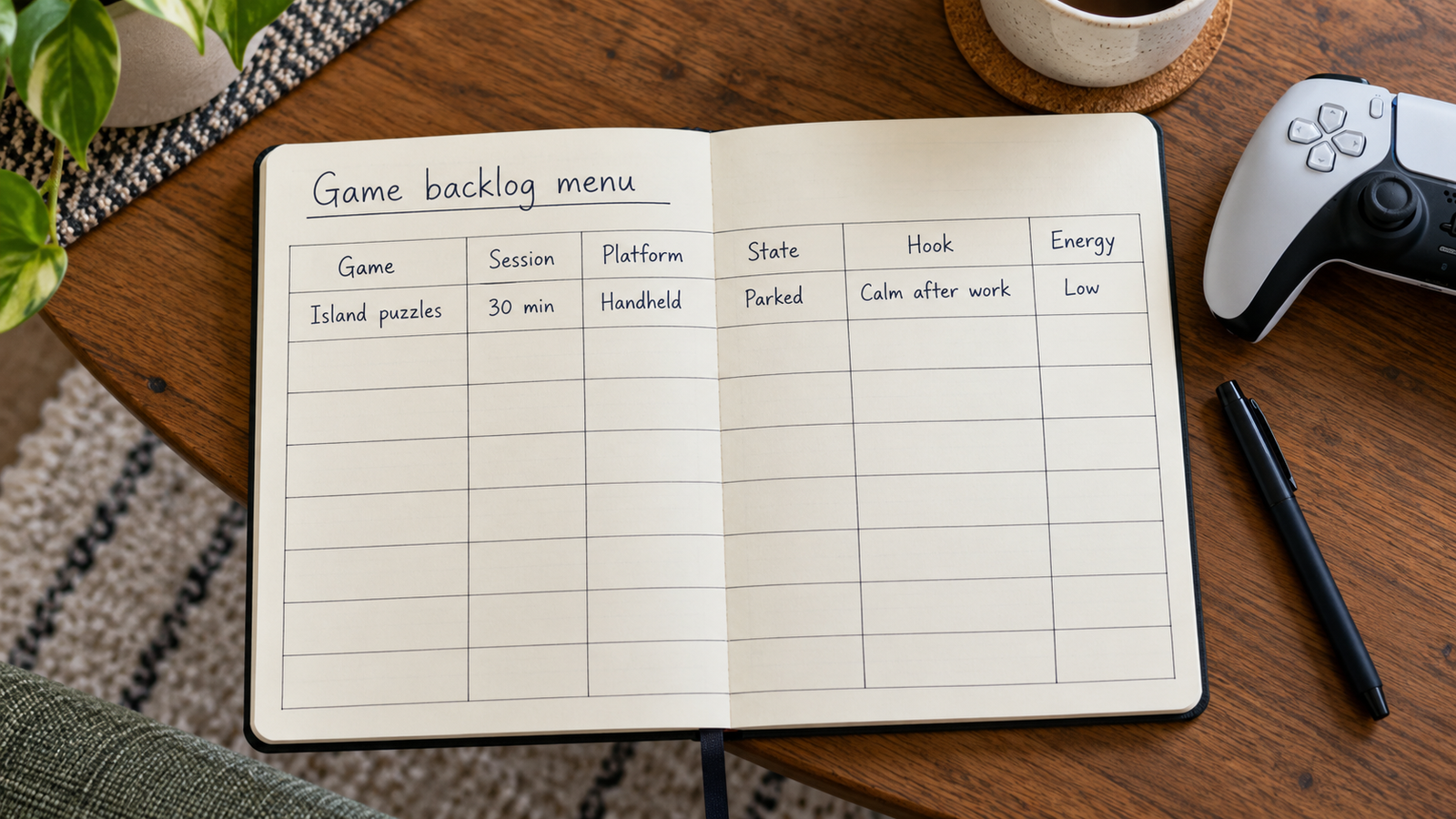
- Session length. Not total length to finish — the length of one useful sitting. A roguelike run, a single mission, a dungeon. This is the single most valuable field you can keep, and almost nobody keeps it.
- Where it runs. Console, PC, handheld, phone. Half of your “I can’t decide” nights are really “I’m on the couch and the thing I want is on my desk.”
- State. Four values are enough: not started, playing, parked, done. Parked is doing real work here — more on that below.
- The hook. One line, written when you added it, about why you wanted it. “Friend said the combat clicks around hour three.” “Want something quiet after work.” Six months later this is the only thing that still tells you whether to bother.
- Energy demand. High or low. Does this want your full attention and a notepad, or can you play it tired?
That’s it. Resist the urge to add review scores, release years, price paid, or a star rating you’ll never use consistently. Each extra field is friction at intake, and friction at intake is why backlogs die.
“A list that can’t tell you what fits the next forty minutes isn’t a backlog. It’s a receipt.”
Choose by the evening you actually have
Once session length and energy are recorded, picking becomes a lookup instead of a judgment call. You know how much time you have. You know roughly how much brain you’ve got left. Read across, pick one, start.
| Time you actually have | Reach for | Why it works |
|---|---|---|
| 20 minutes | Something already in progress with a short loop | No setup cost, no re-learning controls, clean stopping point |
| 45 minutes, low energy | A parked game you know well | Familiarity costs nothing; this is how parked games get unparked |
| 90 minutes, high energy | The newest “not started” title that matches your mood | First hours usually demand the most attention — spend it when you have it |
| A free afternoon | The one thing you’ve been saving | Long, slow-opening games need a runway, and this is the only time you get one |
| Unknown or interrupted | Handheld, anything with instant suspend | Removes the “not worth starting” excuse entirely |
Notice that “what I bought most recently” and “what I paid the most for” appear nowhere. Those are the two factors that distort backlog decisions most, and neither one has anything to do with whether tonight goes well.
Where to keep the thing
There are three broad options, and the right one depends on how much you care about automatic data versus your own notes.
Storefronts and launchers already know what you own and how long you’ve played it, which is genuinely useful and completely free. What they can’t do is tell you how much time one session takes, or why you wanted the game, or that you’re on the couch. They also only know their own ecosystem, so a library split across a console, a PC, and a handheld fragments immediately.
Backlog-tracking sites and apps are built for exactly this. The good ones import your libraries from connected accounts, pull in cover art, and let you sort by status — which removes almost all of the typing. If you want your collection assembled for you, this category is the obvious answer and nothing else competes on that.
A spreadsheet, a notes file, or a small personal database wins on the opposite axis: you choose the fields, so “session length” and “the hook” can exist at all. The cost is that you type everything yourself.
If you want the fields to be yours
If the manual route sounds right, the game library template in Pocket Tables gives you a starting table you can reshape — add a session-length field, delete the ones you don’t want. It’s an iPhone app with no account, and your data stays on the phone. Be clear on what it isn’t, though: it doesn’t connect to Steam, PlayStation or Xbox, won’t import your library, and never fetches cover art or playtime. Every row is typed in by hand, there’s no sync or sharing, and no Android version. If automatic importing is the part you want solved, the tracking sites do that better — use one of those.
Three rules that keep it from rotting
Every backlog system works for two weeks. The ones that survive have rules about what goes in and what comes out.
Record at purchase, not later. The hook line is only accurate in the moment you wanted the game. Write it then — it takes fifteen seconds and it’s the difference between a list you trust and a list of names.
Park, don’t abandon. A game you stopped playing at the halfway mark isn’t a failure; it’s a save file with context attached. Move it to parked and add one line: what you were doing, and whether you were enjoying it. Parked games with good notes get finished. Parked games without them get reinstalled, stared at, and quit again.
Allow a “not interested” state. Games arrive from bundles and sales whether you planned it or not. Some of them were never going to be played. Marking those as not interested costs nothing and shrinks the menu, which is the entire point — and yes, you spent money on them. That’s done. Move on.
Do a ten-minute pass once a month: anything in “playing” that you haven’t touched goes to parked, anything in “not started” that no longer appeals goes to not interested. That’s the whole maintenance burden.
What good looks like
The test isn’t whether your list is complete or whether the numbers are going down. The test is the thirty seconds after you sit down. You open the menu, filter to what fits the night, and start something. No scrolling, no bargaining, no guilt about the eighty titles you didn’t pick.
That is all anyone is really asking for when they ask how to manage a game backlog: not a finished library, just a faster decision.
Common questions
Should I delete games from my backlog?
Don’t delete them — mark them as not interested instead. Deleting loses the record, and you’ll re-add the same game next year after forgetting you’d already decided against it. A filtered-out row costs you nothing and keeps the decision made.
How many games should I have going at once?
Fewer than you currently do, probably two or three. The practical limit is how many you can resume without re-learning the controls or the plot. Anything beyond that isn’t in progress, it’s parked — so label it that way and stop feeling pulled by it.
Is a spreadsheet good enough, or do I need a dedicated tracker?
A spreadsheet is fine and often better, because you control the columns. Pick a tracker when you want your libraries imported automatically and don’t care about custom fields; pick a spreadsheet or a personal database when the custom fields are the whole reason you’re doing this.
What do I do with a game I quit halfway through?
Park it and write one line about where you were and whether you were having a good time. If the note says you were bored, that’s your answer and you can move it to not interested. If it says you stopped because life got busy, it’s a real candidate for a future low-energy evening.
Does tracking a backlog make gaming feel like work?
It does if you track progress toward completion, because then every row is a task. It doesn’t if you track fit — time, energy, platform — because then the list only ever gets consulted at the moment you want to play something. Keep the fields decision-shaped and the list stays useful.