
It’s 9pm on a Tuesday. You open your watchlist, scroll past forty titles, and close it again. Then you rewatch something you’ve seen four times, or you pick whatever the home screen is pushing that week. The list didn’t fail because you picked wrong — it failed because it couldn’t answer a single question you had.
A watchlist stores titles. What you need at 9pm is a decision. Those are different problems, and almost every list solves only the first one.
Why watchlists rot
You add a title at the moment of maximum enthusiasm. A friend was mid-rave about it. A trailer landed. A critic you trust put it on a year-end list. In that moment you know exactly why it matters: it’s the slow one with the great cinematography, the six-episode thing you can finish in a weekend, the comedy your partner will actually sit through.
None of that gets written down. The title does. Three weeks later the title is a stranger with a familiar name, and your past self left you no note.
Then the rot compounds. The list grows faster than you watch, so scrolling it becomes a chore instead of a shortcut. Items you’ve already abandoned sit next to items you’ve never started, indistinguishable. Half the entries are things you added out of obligation — the canon film you feel you should have seen — and they’re mixed in with the ones you’d genuinely enjoy tonight. The signal-to-noise ratio collapses, and a list you don’t trust is a list you stop opening.
What you’re actually asking at 9pm
Before you fix the list, notice what you’re really doing when you scroll it. You’re running a handful of filters in your head, fast, and the list can’t help with any of them. Write the answers down once, and the filtering becomes mechanical.
| The question in your head | The field that answers it |
|---|---|
| “I’ve got about 90 minutes before I’m useless.” | Runtime, or episode count and episode length |
| “Why on earth did I add this?” | One line on the hook, in your own words |
| “Can I handle subtitles and a slow first act tonight?” | Effort level — low, medium, high |
| “Is this a me thing or an us thing?” | Watch with — solo, partner, family, friends |
| “Did I already start this and bail?” | Status, plus where you stopped |
| “Do I trust whoever recommended it?” | Source — the person, podcast, or list it came from |
Six fields. That’s the whole system. Everything else — year, director, cast, awards — is trivia you can look up in ten seconds if you need it, and it does nothing for the decision in front of you.
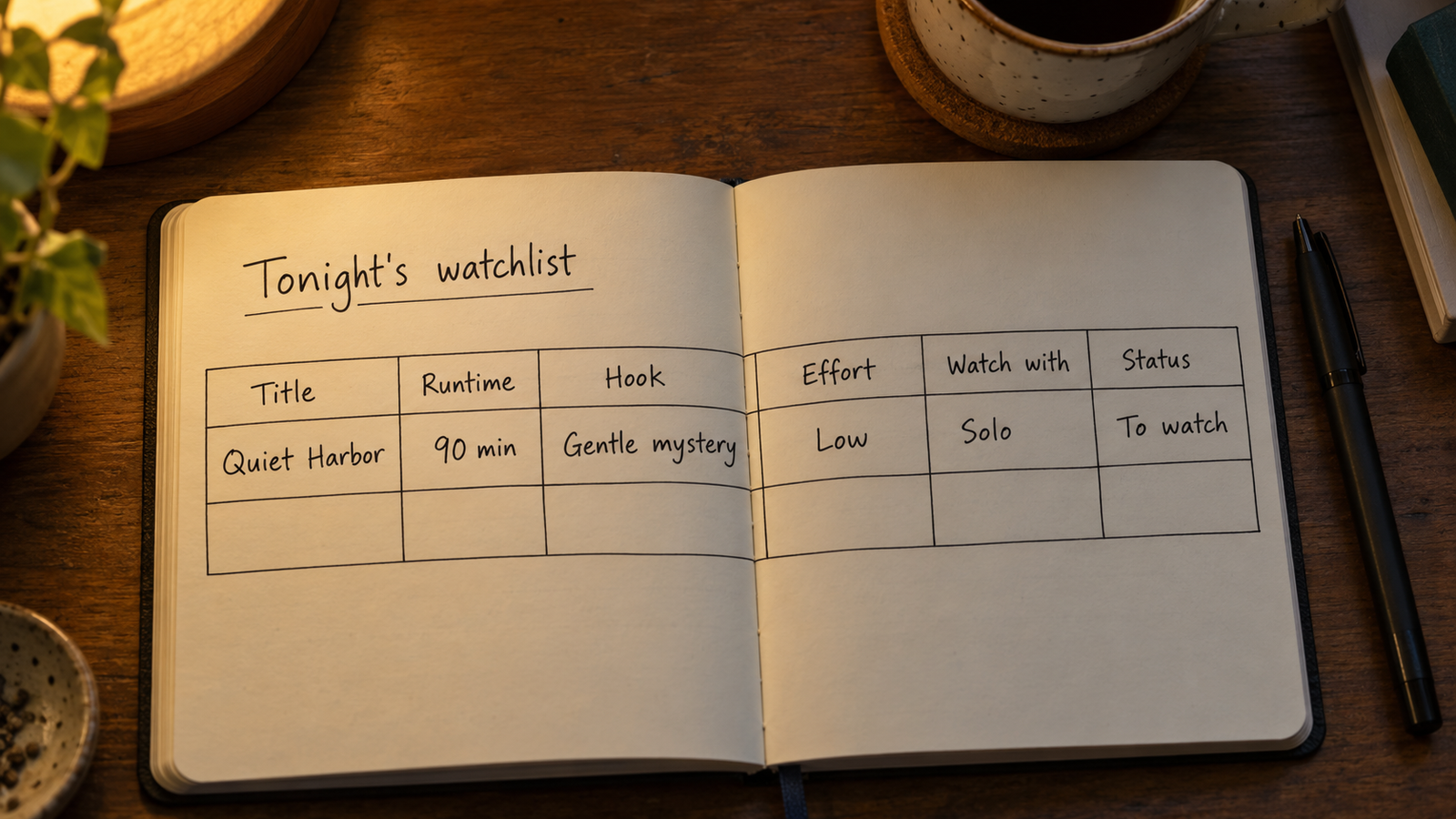
The fields that earn their place
Runtime or episode count. This is the single highest-value field, and the one most lists leave out. A 97-minute film and a 62-episode series are not comparable choices, and sorting by length turns “I have an hour and a half” into a two-item shortlist instead of a scroll.
The hook, in one line. Not a synopsis. The reason you added it. “Marcus wouldn’t stop talking about the ending.” “Heist movie, apparently very funny.” “Supposedly the best thing about grief ever filmed — save for a good week.” Ten words from your past self beats a professional plot summary every time, because the summary tells you what the thing is and the note tells you whether you want it.
Effort level. Genre is a weak proxy for what you can manage on a given night. Some comedies are dense and demanding; some thrillers are the TV equivalent of a warm bath. Rate each entry on how much of you it needs — low, medium, high — and you’ll stop recommending a three-hour subtitled epic to a version of yourself who got four hours of sleep.
Watch with. Half the deadlock in a shared household is that one list is doing two jobs. Tagging entries as solo or shared splits it cleanly, and it stops you from burning your one good co-watching slot on something only you want.
Status. Not just watched or unwatched. Started and paused is a real state, and so is dropped on purpose. Marking an abandoned show as dropped is the most satisfying maintenance you’ll do, because it never ambushes you again.
Source. Over a few months this becomes quietly valuable. You’ll notice that recommendations from one friend land almost every time and the ones from a certain algorithm never do. That’s a filter you can apply going forward.
“A good watchlist isn’t a record of what you mean to watch. It’s a note from the version of you who was excited, written for the version of you who is tired.”
One field to handle carefully: where to find it
It’s tempting to add a “streaming on” column. Resist making it authoritative. Licensing moves constantly — titles leave services, arrive on others, and go rental-only with no warning — so anything you write in that column starts decaying the day you write it.
If you want the field, treat it as a hint with a date attached: “checked October, rental only.” That way you know whether to trust it or re-check. The one version worth keeping is a short note on availability you’ve confirmed yourself for something with a real deadline, like a library hold or a disc you borrowed.
Where the list lives
The platform matters less than the fields, but it isn’t irrelevant. Built-in watchlists inside streaming apps are the most convenient to add to and the worst to choose from: each one only knows its own catalog, so your real list is scattered across five of them, and none of them lets you add a note about why a title is there.
Dedicated tracking apps solve the fragmentation problem and solve it well. They look titles up, pull in runtime and artwork automatically, and track episode progress. The trade-off is that you get the fields the app designer chose. If “effort level” or “watch with” isn’t one of them, you’re writing it into a notes box and you can’t sort by it.
A spreadsheet or a general-purpose database app goes the other way: you define every column, so you can sort by effort or filter to shared-and-under-two-hours, but you type everything in by hand. That friction is the whole decision. For some people it’s a dealbreaker. For others it’s a feature, because typing a title and a one-line reason is a small deliberate act that keeps junk off the list in the first place.
If you want to pick your own fields
These six columns are set up ready to go in the watchlist template for Pocket Tables, an iPhone app that’s really just a flexible personal database — start from the template, then add or delete fields until the table matches how you actually choose. Being straight with you about what it doesn’t do: every title is typed in by hand. It won’t look films up, fetch posters or ratings, tell you where anything is streaming, sync between devices, or share a list with your partner, and there’s no Android version. If automatic lookup is what you want, a dedicated tracking app is genuinely the more convenient tool. This is for people who’d rather own the columns.
Maintenance is the actual skill
Every system for how to keep a watchlist you actually finish comes down to pruning, because adding is effortless and removing never happens on its own.
Two habits do most of the work. First, when you add something, add the hook line in the same motion — if you can’t think of a reason in five seconds, that’s useful information about whether it belongs on the list. Second, once a month, scan for entries older than six months that you’ve skipped over repeatedly. Those aren’t pending; they’re decided. Delete them or move them to a separate “someday” table where they stop competing for attention.
It’s also worth keeping a short list — three to five titles, no more — of things you’re genuinely ready to watch next. The long list is your library. The short list is tonight. Collapsing the two is what makes a watchlist feel like homework.
Common questions
How many titles should a watchlist have?
There’s no magic number, but the useful test is whether you can scan the whole thing without your eyes glazing over. If scrolling it feels like work, it’s too long — split it into an active list and a someday list rather than trying to prune it down to a single tidy set.
Should I keep films and TV on the same list?
Same table is fine, but give them a type field so you can filter. A two-hour film and a ten-hour season are different kinds of commitment, and mixing them without a way to separate them is one of the quiet reasons lists feel unusable.
Is it worth tracking what I’ve already watched?
A finished column costs almost nothing and prevents the specific annoyance of re-adding something you’ve seen. If you want to go further, a one-line verdict is more useful than a star rating, because in a year the sentence will still mean something and the number won’t.
What about the titles I feel obligated to watch?
Keep them, but keep them somewhere else. Mixing aspirational entries with things you actually want to watch tonight poisons the whole list, because every scroll becomes a small negotiation with your conscience. A separate table solves it instantly.
How do I handle a list shared with someone else?
Decide up front whether you’re sharing one list or tagging entries in your own. A shared list needs a tool built for it; a watch-with tag in your personal list handles most of the same need, as long as you’re the one who brings the shortlist to the couch.